This In Falsus walkthrough follows one complete demo run on PC — from installing the free Steam build to reading your first results card and opening the card integration screen. Every major screen has a screenshot so you can match what you see on your monitor.
Screenshots are frames from justonegamr's full demo playthrough and :paradox's tutorial run on Albedo. For a screen-by-screen wiki version with source timestamps, see the Demo Walkthrough wiki.
Step 1 — Download and install the demo
- Open the In Falsus Steam page (App ID 3971950; the demo is App ID 4355100).
- Scroll to Download Demo and click it — the demo is free and does not require owning the full game.
- Once installed, launch In Falsus Demo from your Steam library. No account login or online connection is required inside the demo itself.
Tip: If the game fails to launch, check our demo not launching fix and system requirements guide before troubleshooting further.
Step 2 — First launch: title screen
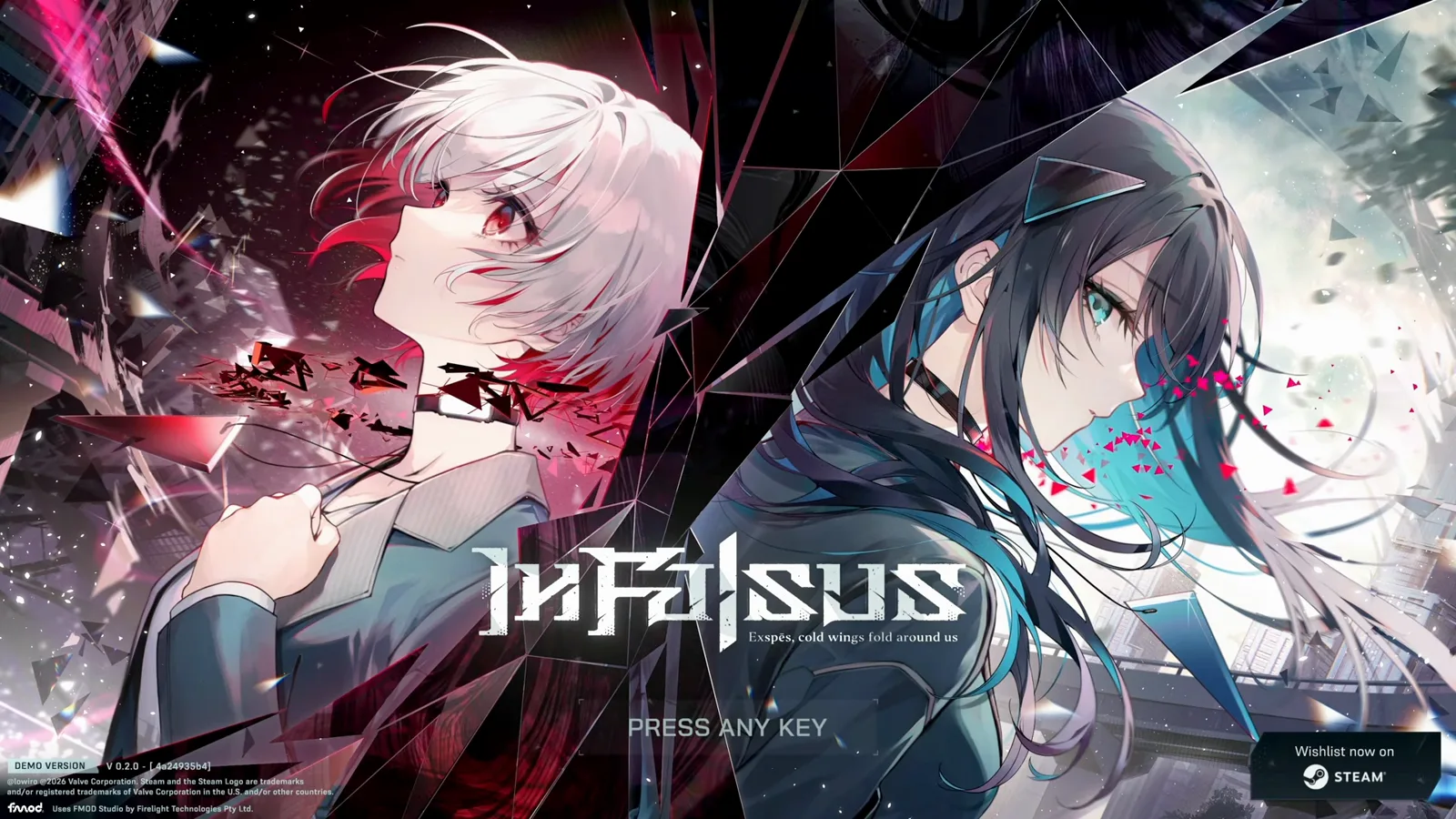
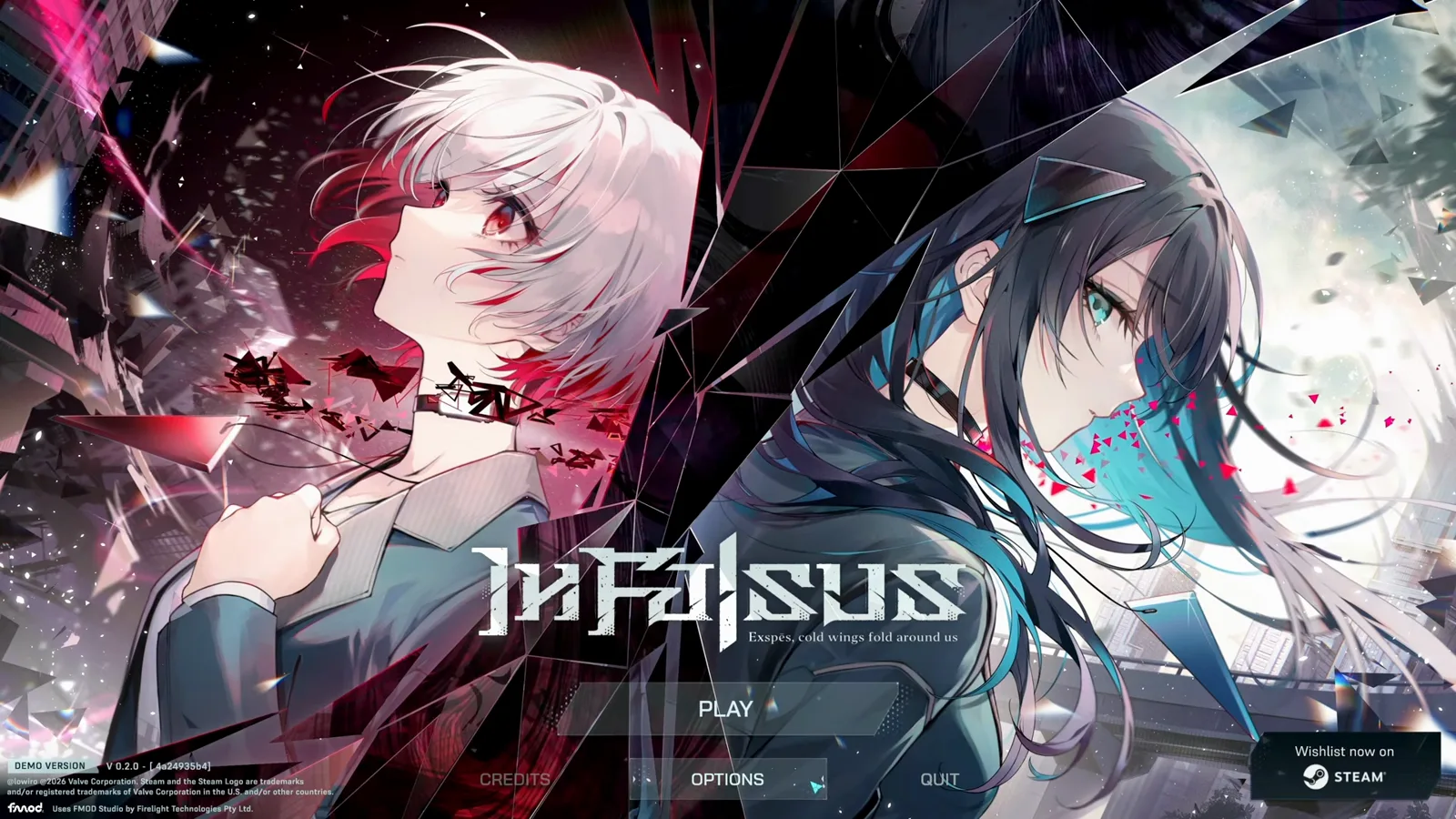
The demo opens on key art of the two heroines with the tagline "Exspes, cold wings fold around us". Press any key, then choose PLAY, OPTIONS, CREDITS or QUIT. The footer shows the demo build number and a Steam wishlist notice.
Choose PLAY to enter the main flow. Choose OPTIONS first if you want to calibrate settings before anything else — we cover every tab in the next step.
Step 3 — Settings panel: audio, display and keybinds
Open OPTIONS from the title screen (or pause mid-run). The demo exposes five tabs. Adjust these before your first real Encounter — the two that matter most for rhythm feel are Track Speed and Audio Offset.
Quick Settings — Track Speed and Audio Offset
Track Speed (0.8–10.0) controls how fast notes approach; the recorded run uses 2.00. Audio Offset (−1000 to 1000 ms) shifts judgment timing when hits feel early or late — raise the offset if you consistently hit notes late.
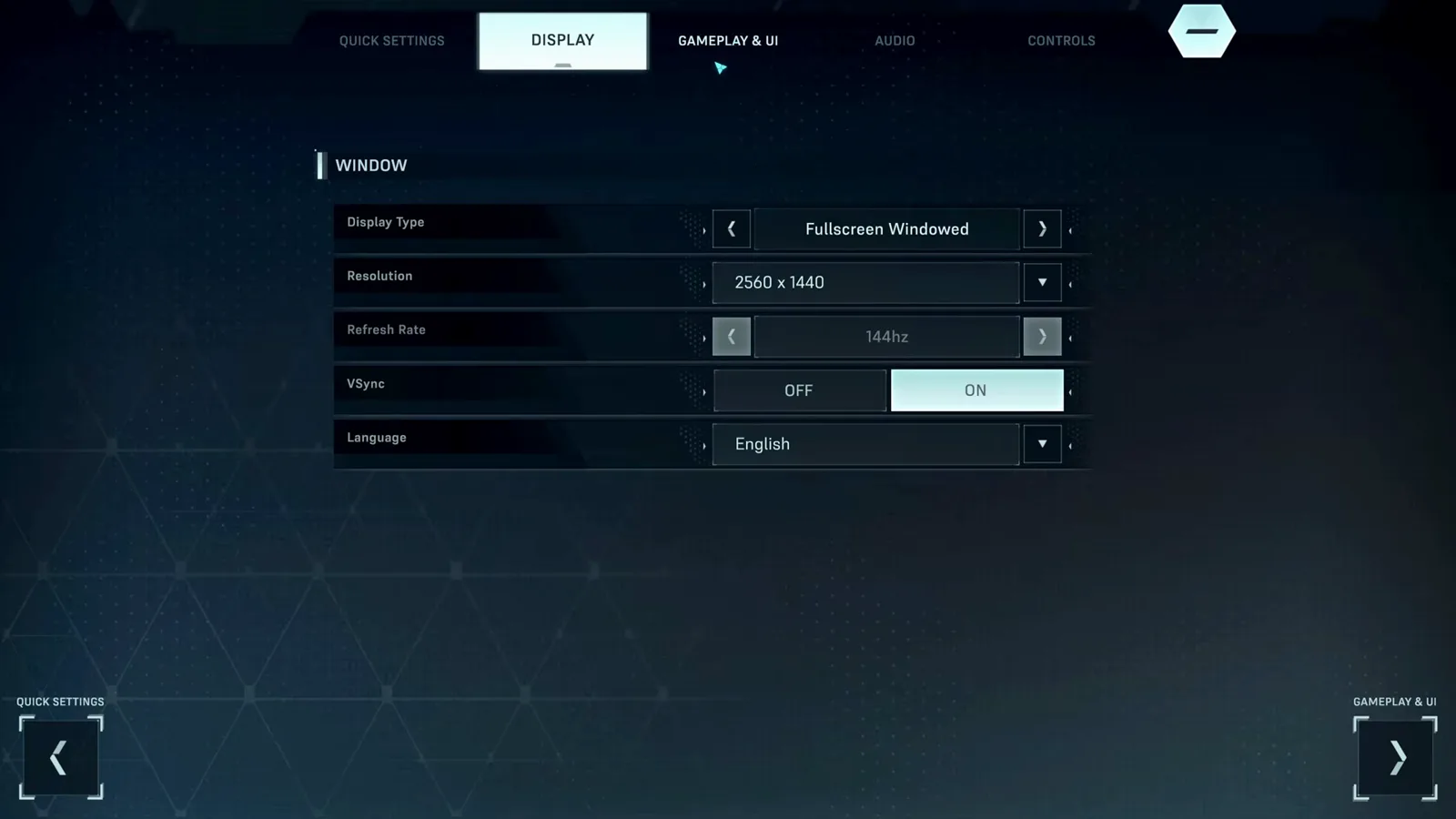
Display — resolution, refresh rate, VSync
Match Refresh Rate to your monitor. A 144 Hz panel running at a lower rate makes timing feel inconsistent. Set Display Type (Fullscreen / Windowed), Resolution, VSync and Language here.
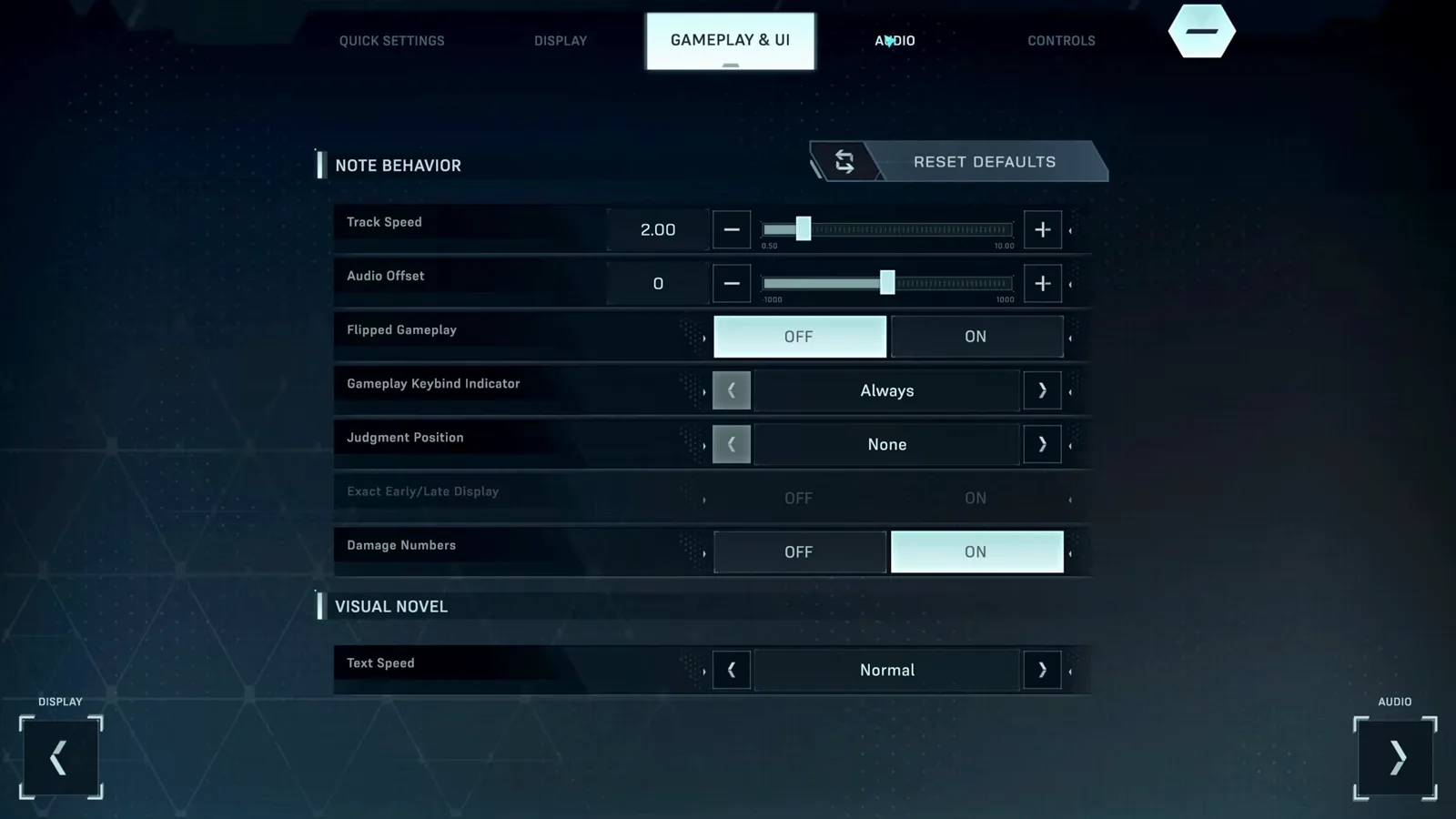
Gameplay & UI — note behavior toggles
Flipped Gameplay, Gameplay Keybind Indicator, Judgment Position, Early/Late Display, Damage Numbers and Visual Novel Text Speed all live here. Turn on Early/Late Display while learning — it tells you whether you are hitting early or late.
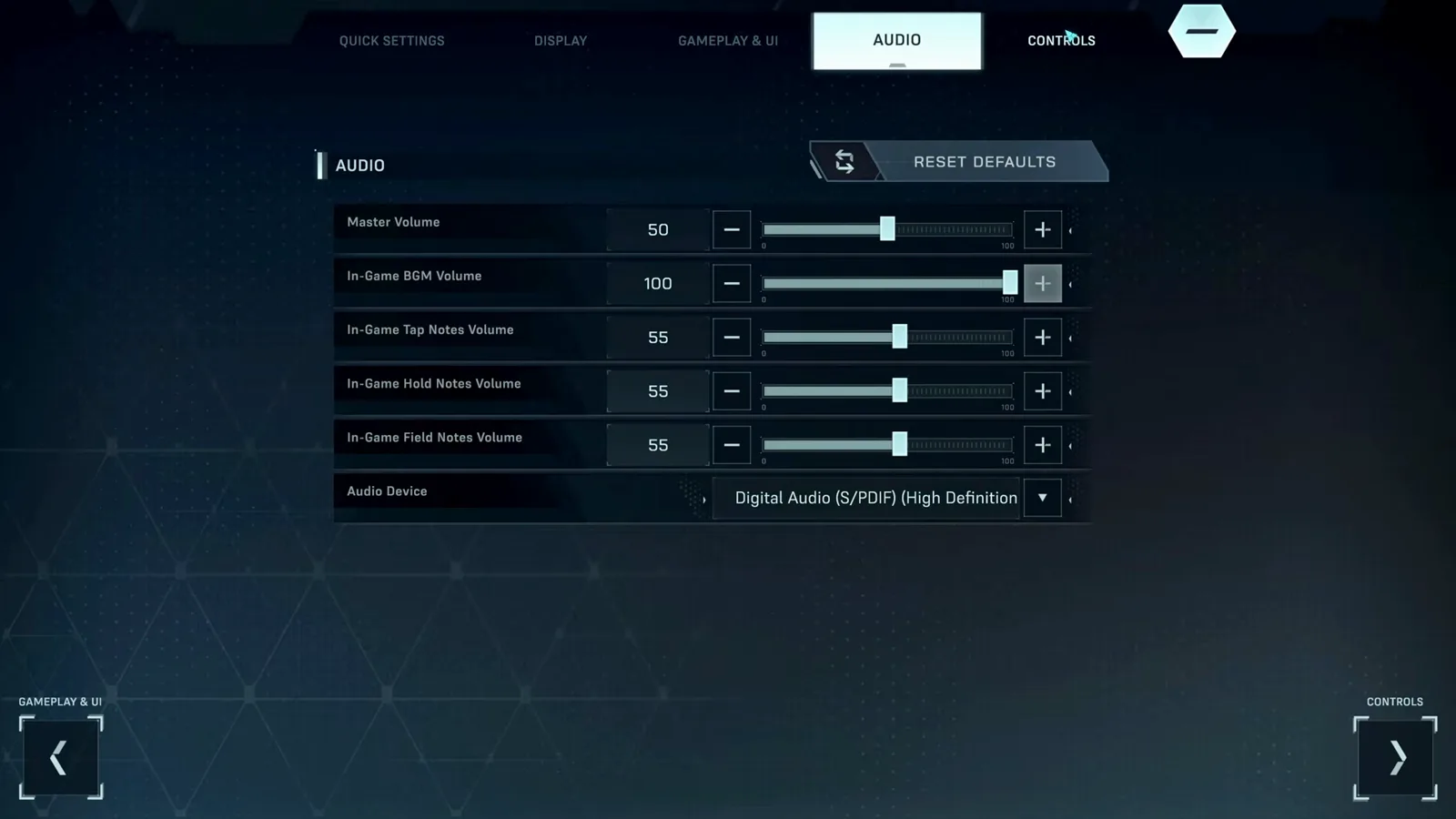
Audio — per-note-type volumes
Beyond a master slider, the demo splits volume into In-Game BGM, Tap Notes, Hold Notes and Field Notes. If the music drowns out tap clicks, raise Tap Notes instead of the master.
Controls — keybinds and mouse sensitivity
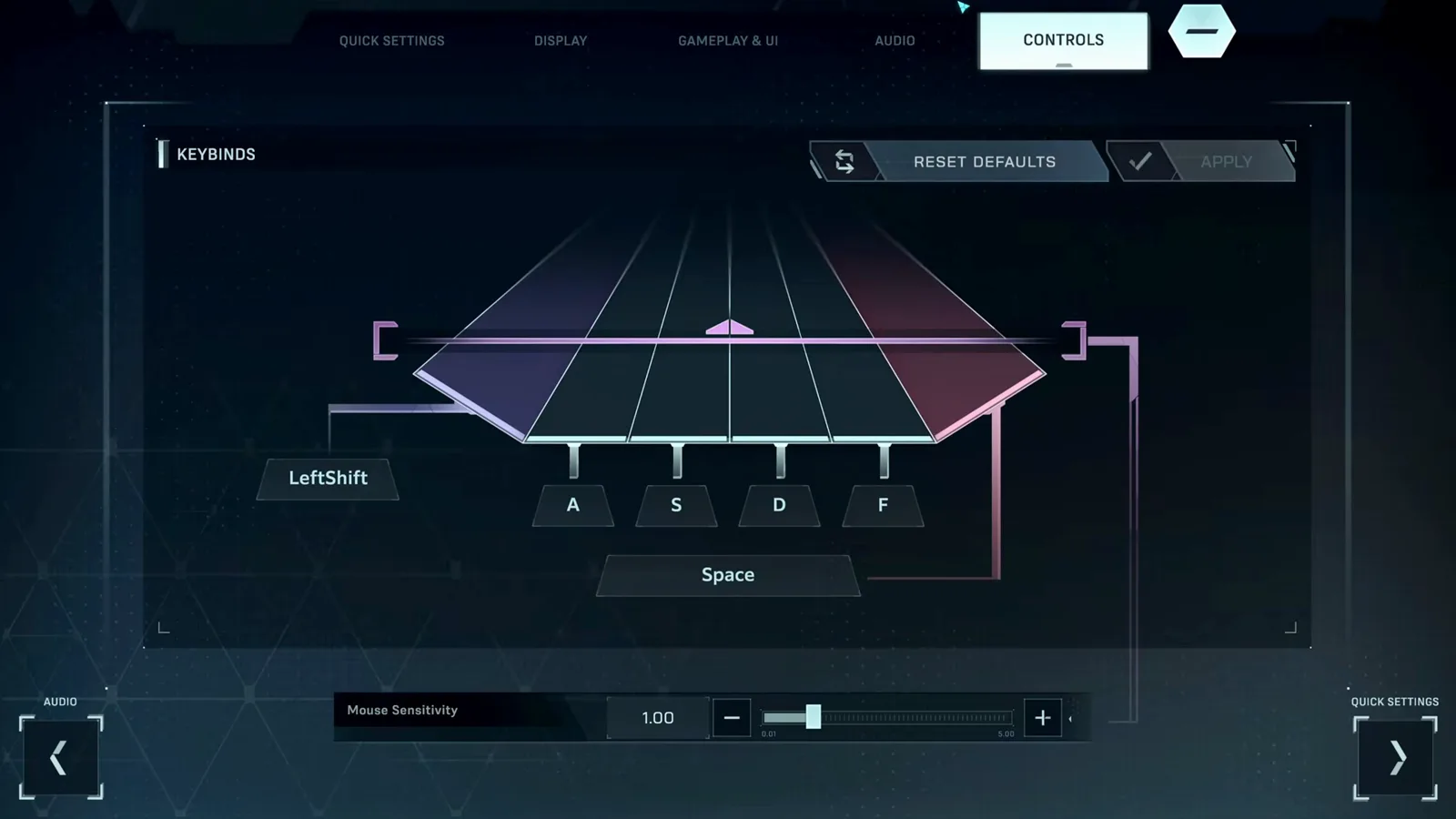
The default layout is Left Shift / A / S / D / F / Space, which strains the pinky for most players. Click any binding to remap it; RESET DEFAULTS and APPLY manage your changes. Mouse Sensitivity (0.01–5.00) controls the upper cursor used for FIELD and FLICK notes.
Step 4 — Tutorial mode: your first song (Albedo)
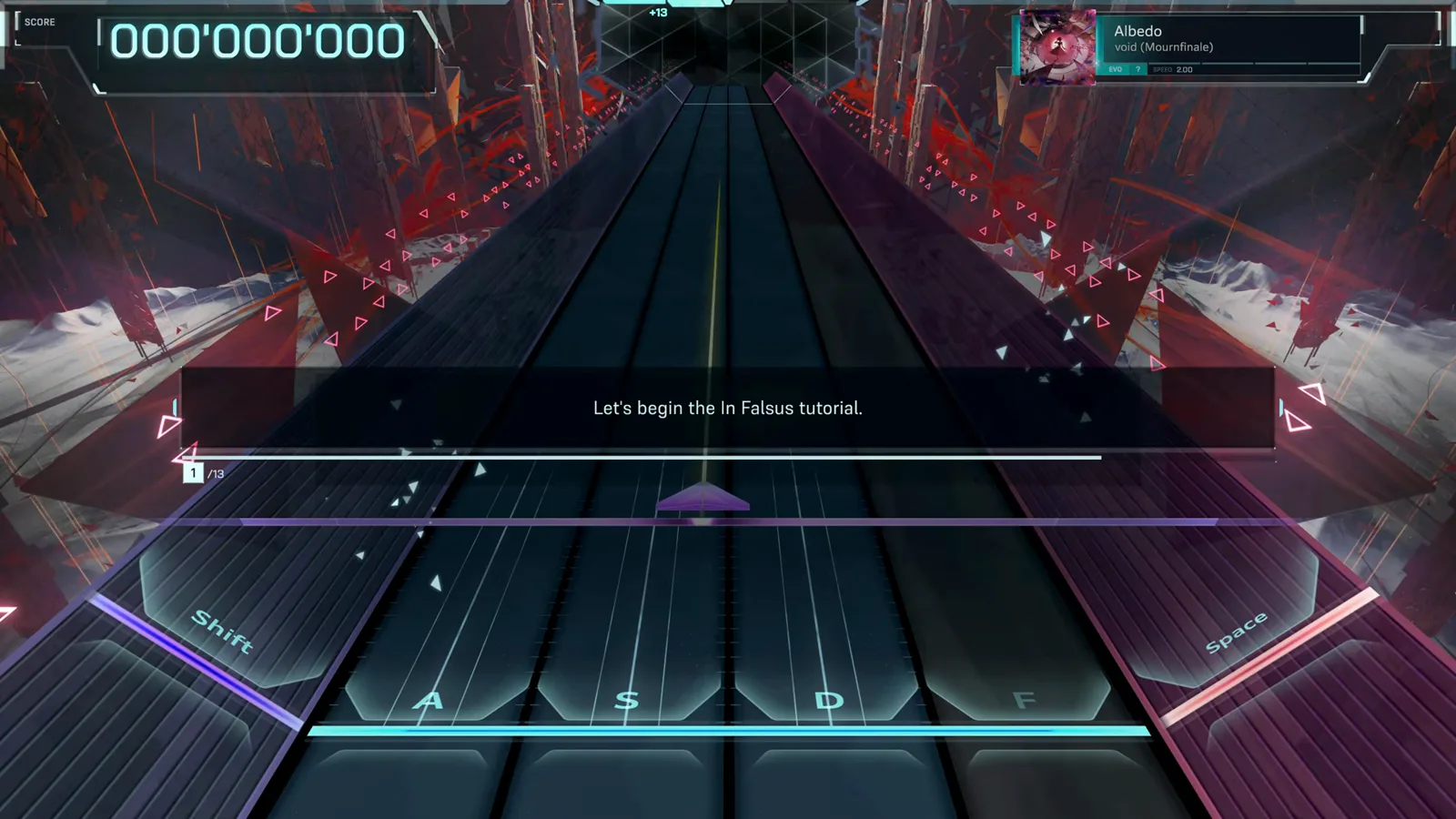
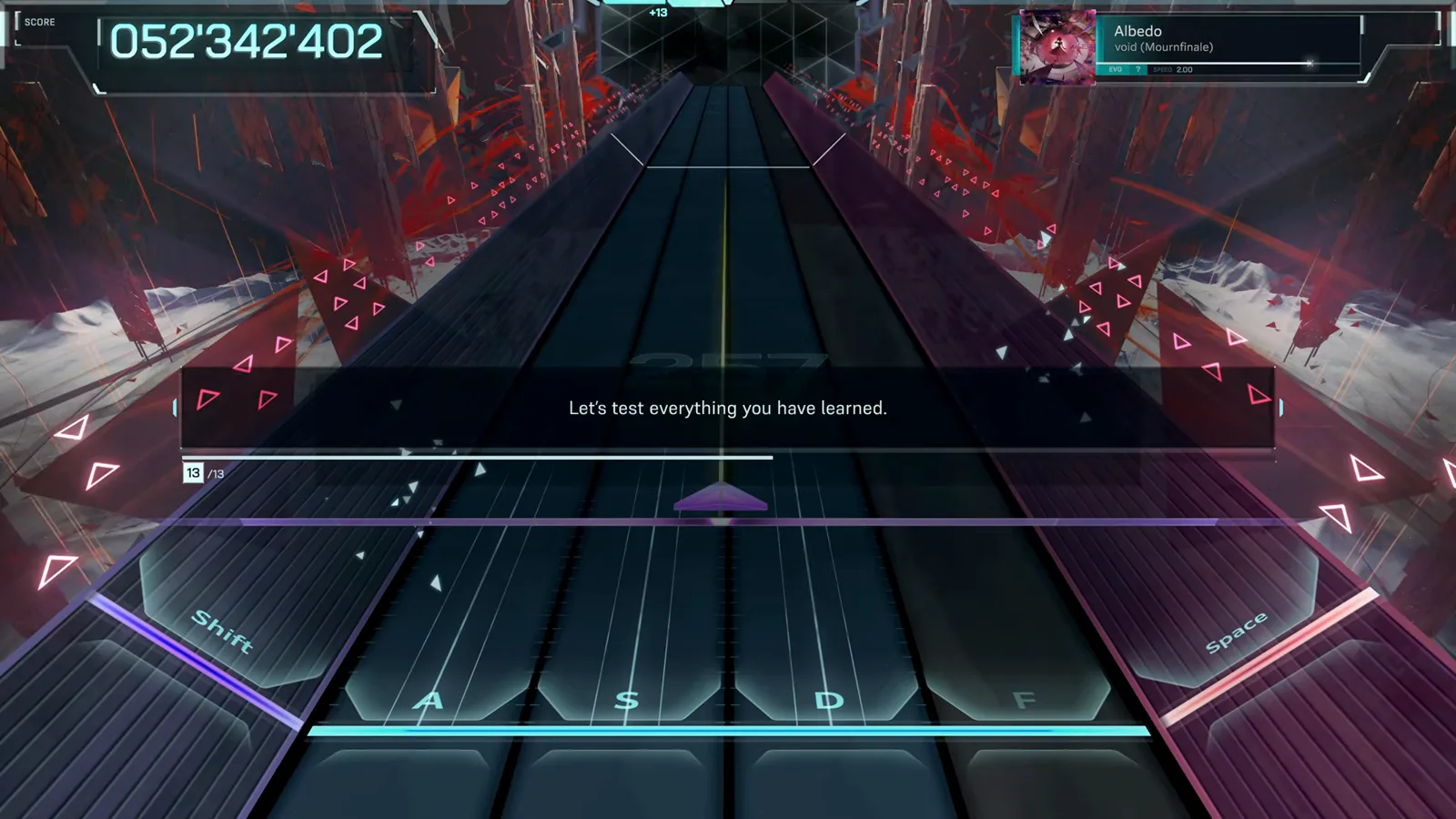
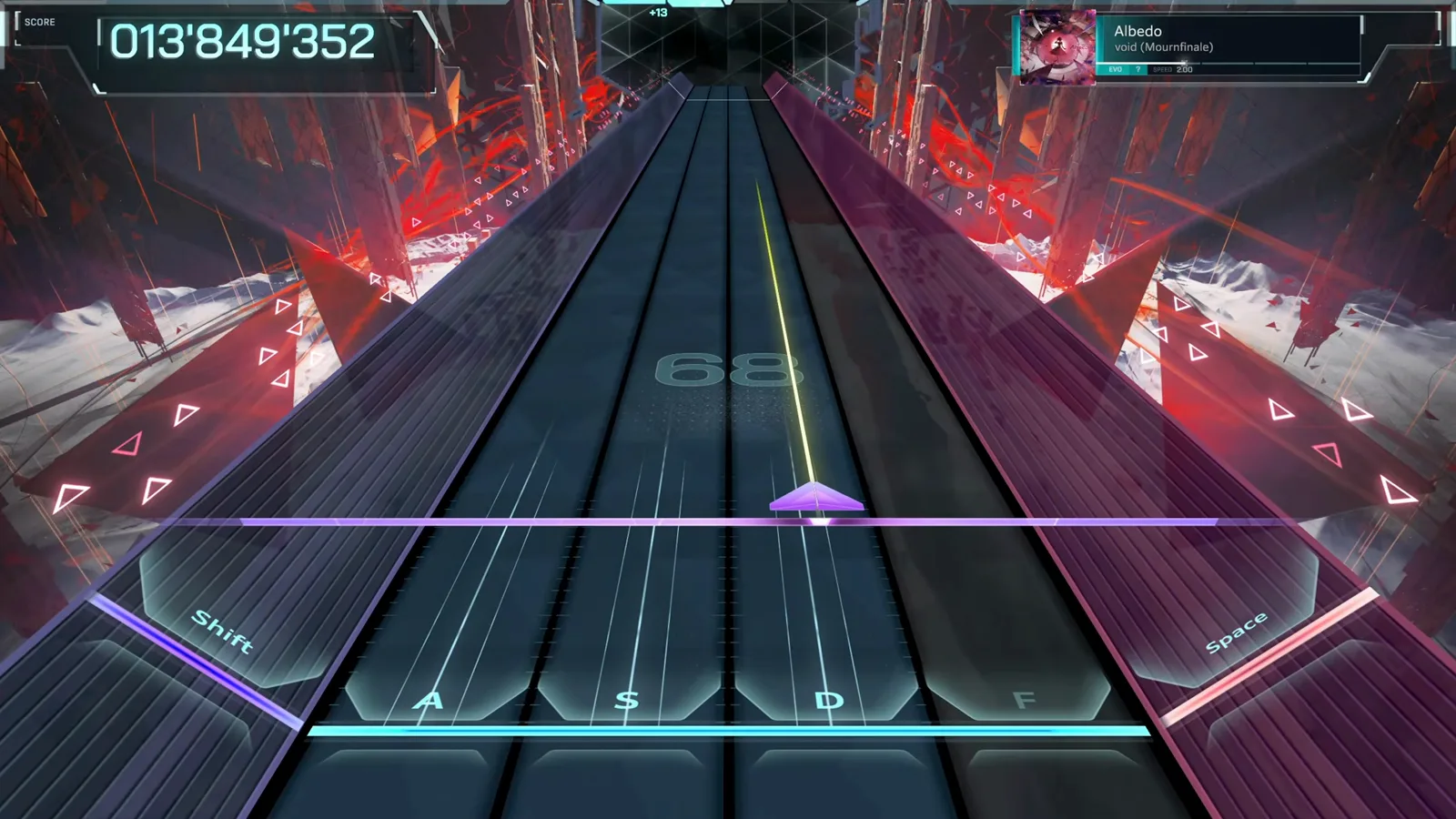
The built-in tutorial is a 13-step sequence on Albedo (EVO difficulty). It teaches the upper cursor and flick notes first, then the keyboard's Tap and Hold notes. You can replay it any time from the hub's REPLAY TUTORIAL button.
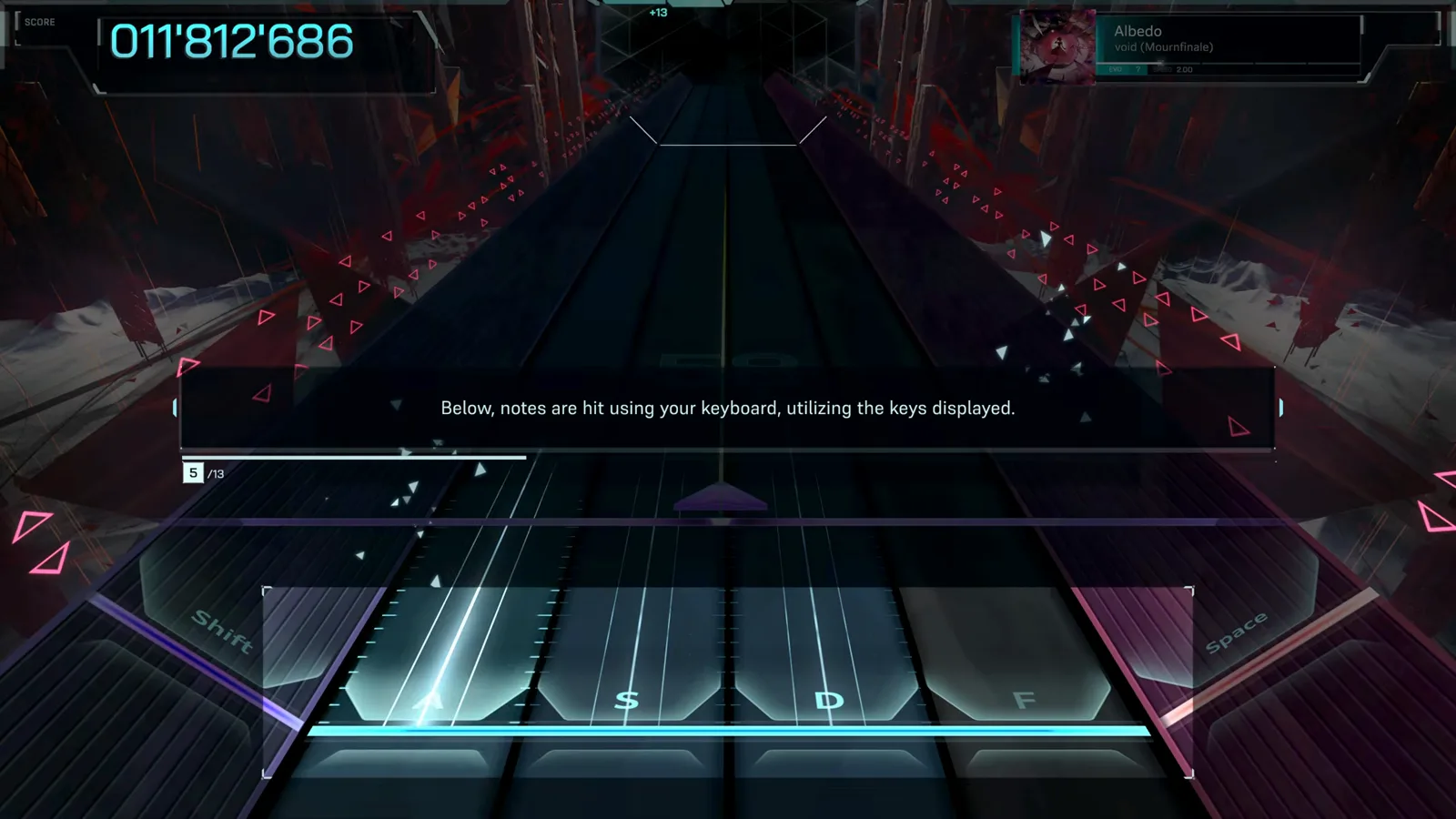
Midway through, control shifts to the keyboard: notes fall down lanes and must be struck with the displayed keys when they touch the bottom line. This two-layer split — mouse above, keyboard below — is the game's core gimmick.
Step 13 asks you to prove everything at once in a short combined run. Failing is fine — the real dive starts right after.
For deeper note-type breakdowns, read the Hand Placement wiki and beginner tips.
Step 5 — Story mode: scenario scenes between dives
Between songs, the demo runs visual-novel style scenarios with glitched, chromatic-aberration art. Dialogue sits in text boxes with rewind, advance, fast-forward and log controls along the top. Resist skipping everything on a first run — the scenario framing is where the story hooks live.
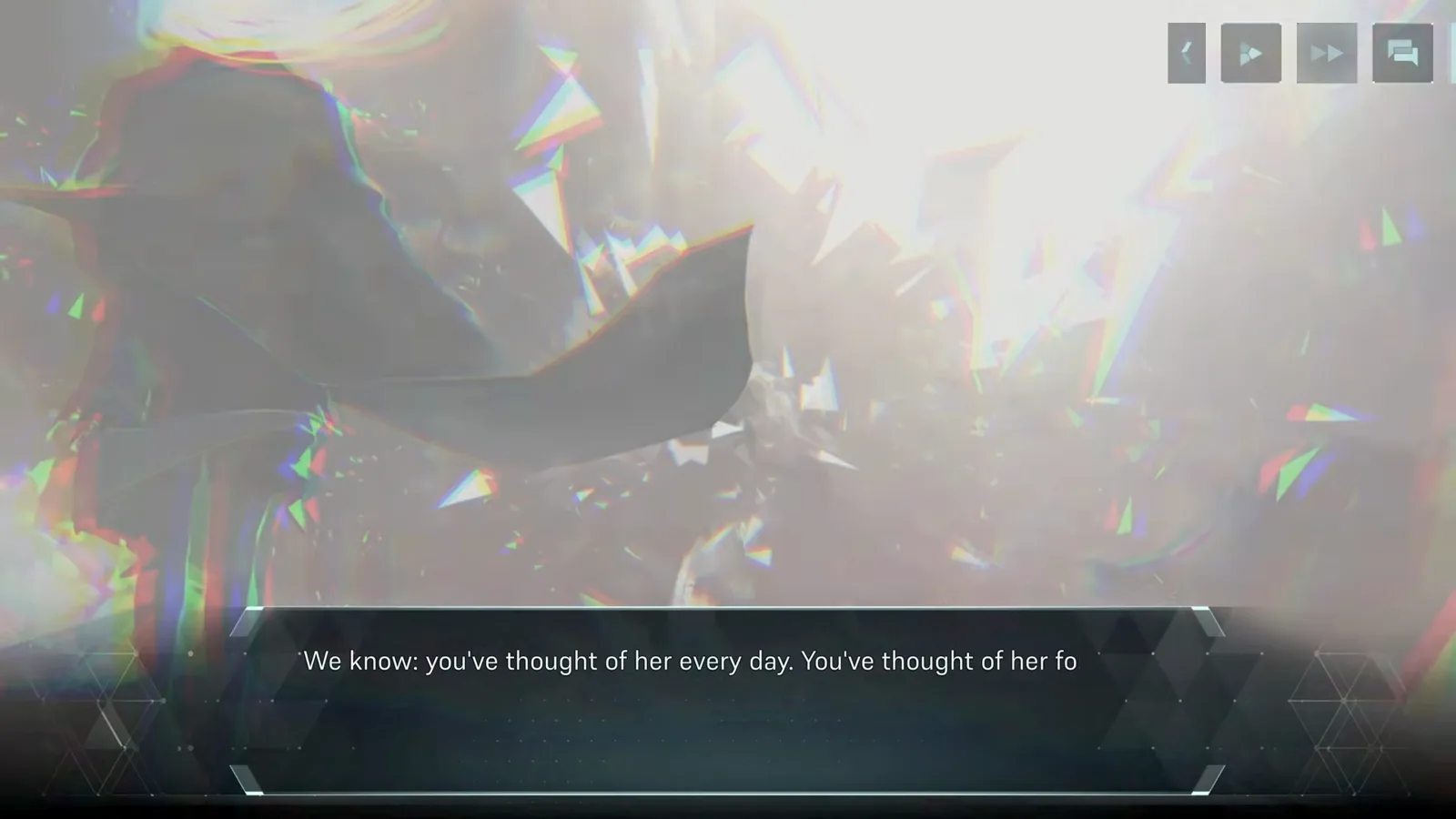
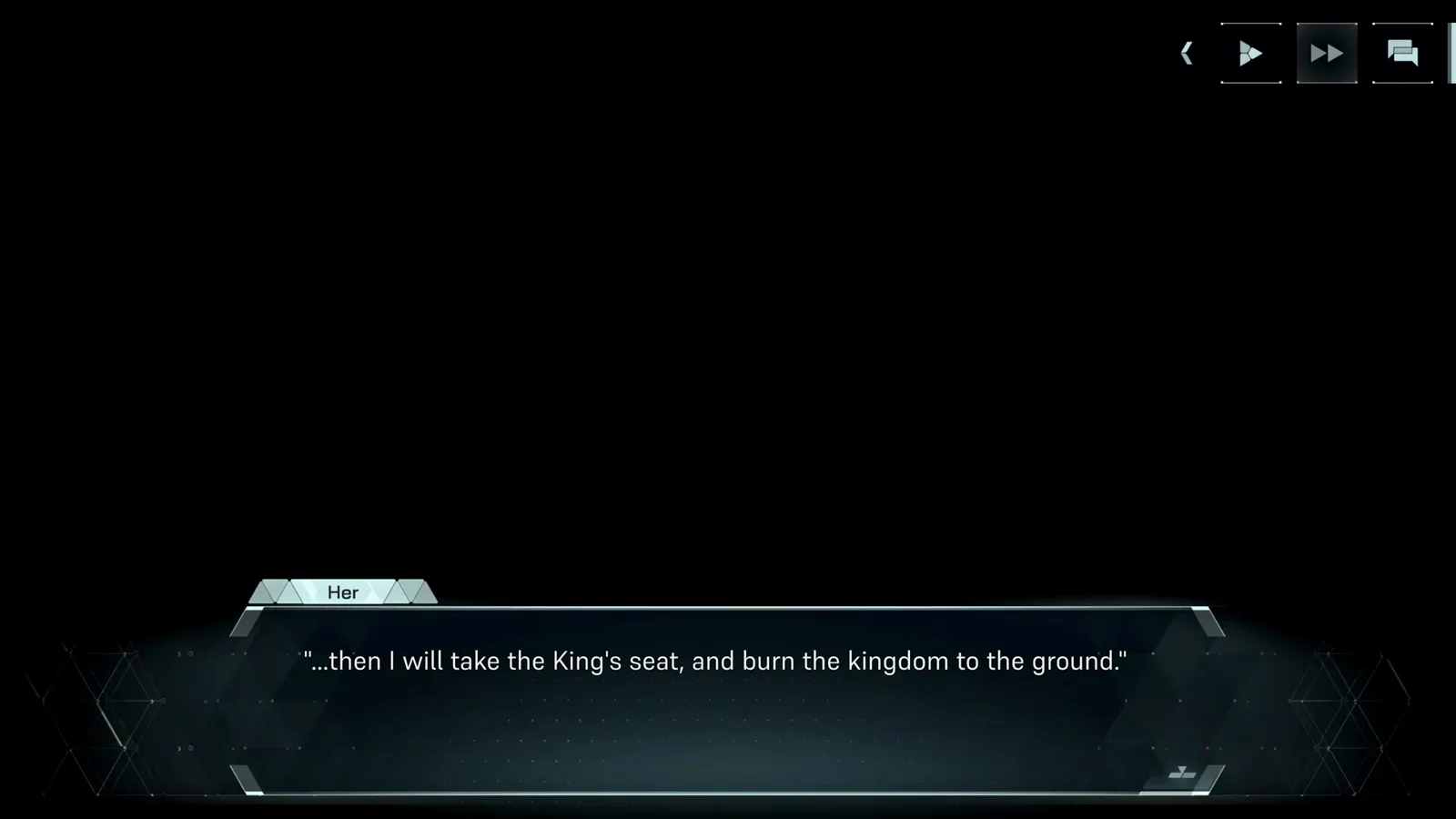
Lines are tagged with speaker tabs such as "Her". The demo scenario introduces the five protagonists and sets up why you are diving at all.
Step 6 — Hub navigation: pick a theme character
After the tutorial and opening scenario, you land in the hub — your base between dives. Selecting a character (Nia, Mei, Ayame, Iris, Story) reskins the hub. MUSIC PLAY opens song select; SCENARIO replays story segments; REPLAY TUTORIAL reruns the Albedo lesson.
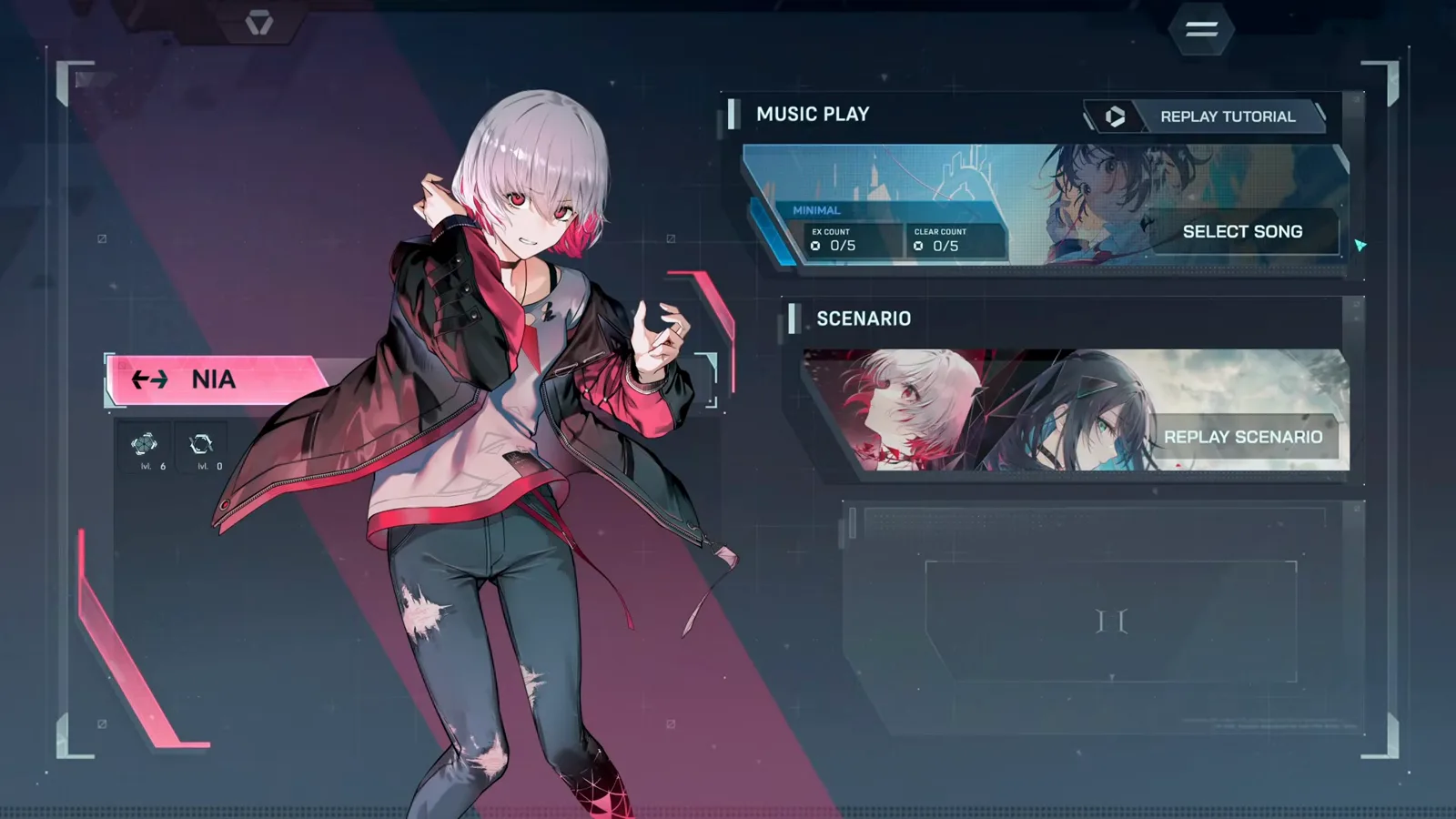
From MUSIC PLAY → SELECT SONG, you can pick any unlocked chart. The right panel shows your card loadout — the deck you bring into each Encounter.
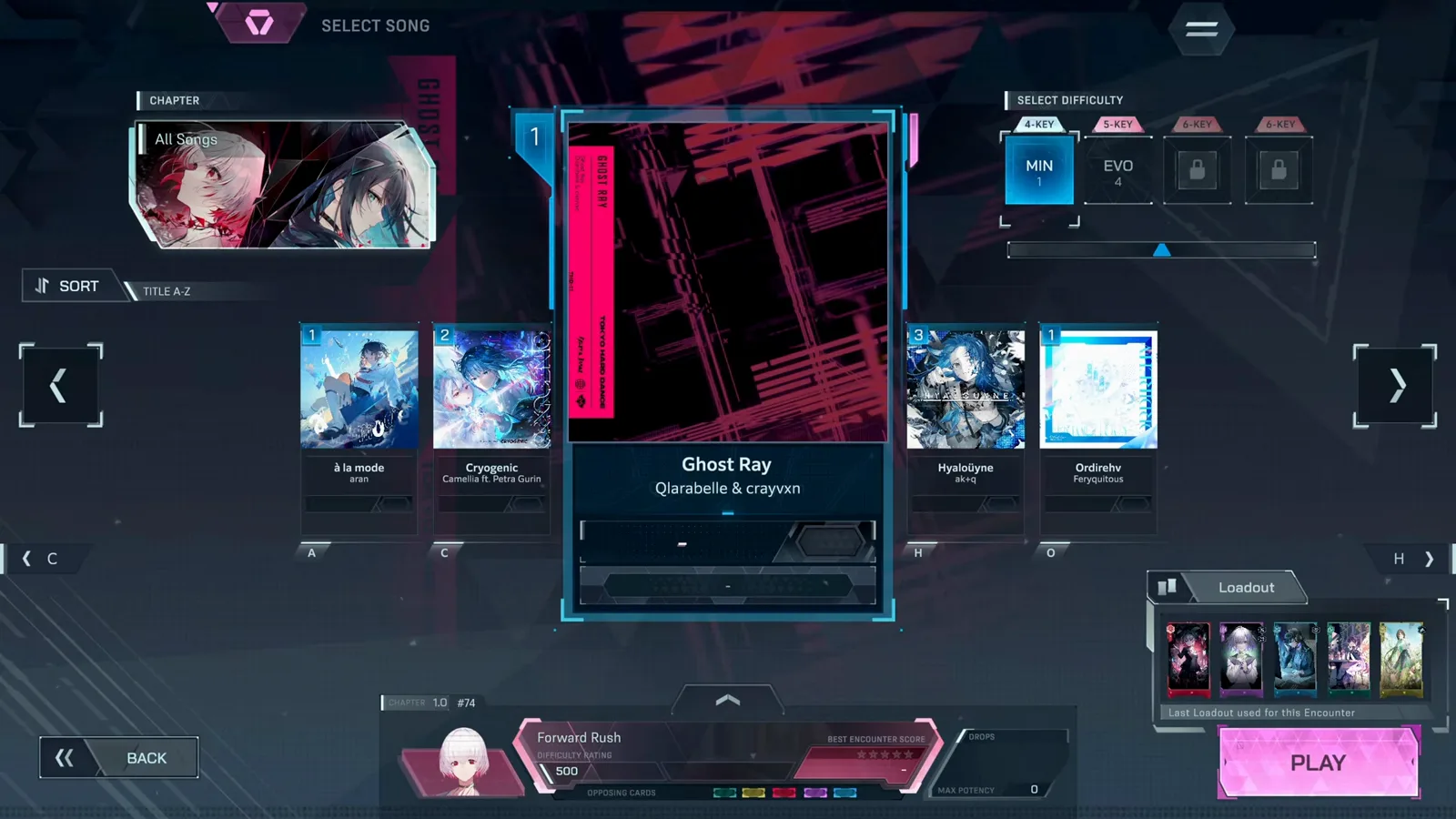
Step 7 — Your first Encounter: reading the HUD mid-run
Each Encounter plays out in Phases against an opposing card. During a dive the side panel shows your equipped cards; PHASE counters, Encounter Score and stars track progress.
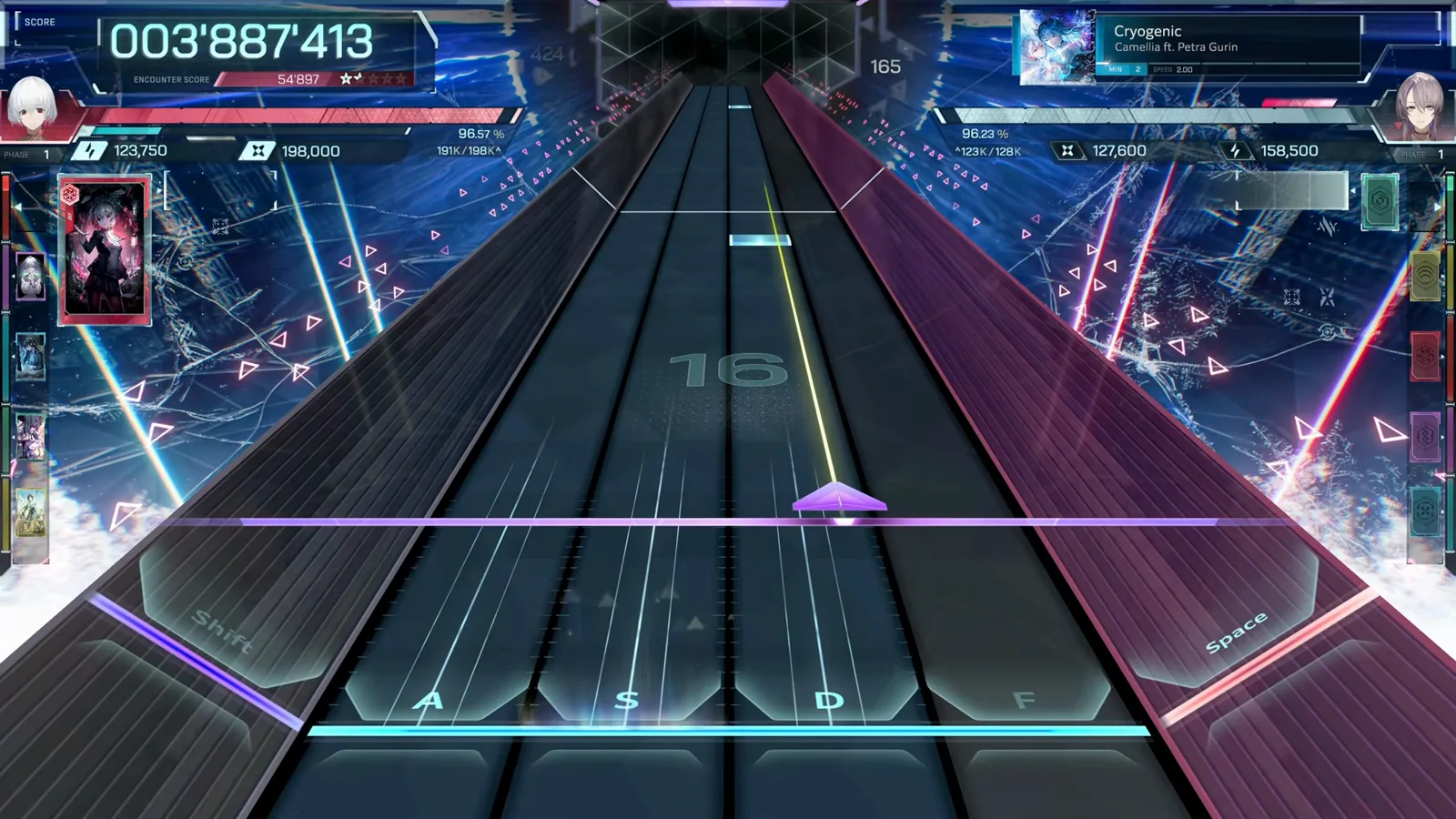
Two systems drive your result:
- Judgments — EXACT > NEAR > BREAK. Accuracy feeds both score and damage.
- Resonance Gauge — resets every Phase; once full, all damage is multiplied ×5 for the rest of that Phase. Only EXACTs fill it.
Aim for Connected + Dive Clear or better — that is the threshold for Iota drops. Start on MIN (4K) even as a veteran: the mouse notes are the real skill check.
Step 8 — Results screen: grades and judgment breakdown
The results screen grades the run, breaks judgments into EXACT / NEAR / BREAK counts, shows the song artwork and offers CONTINUE back to the hub.
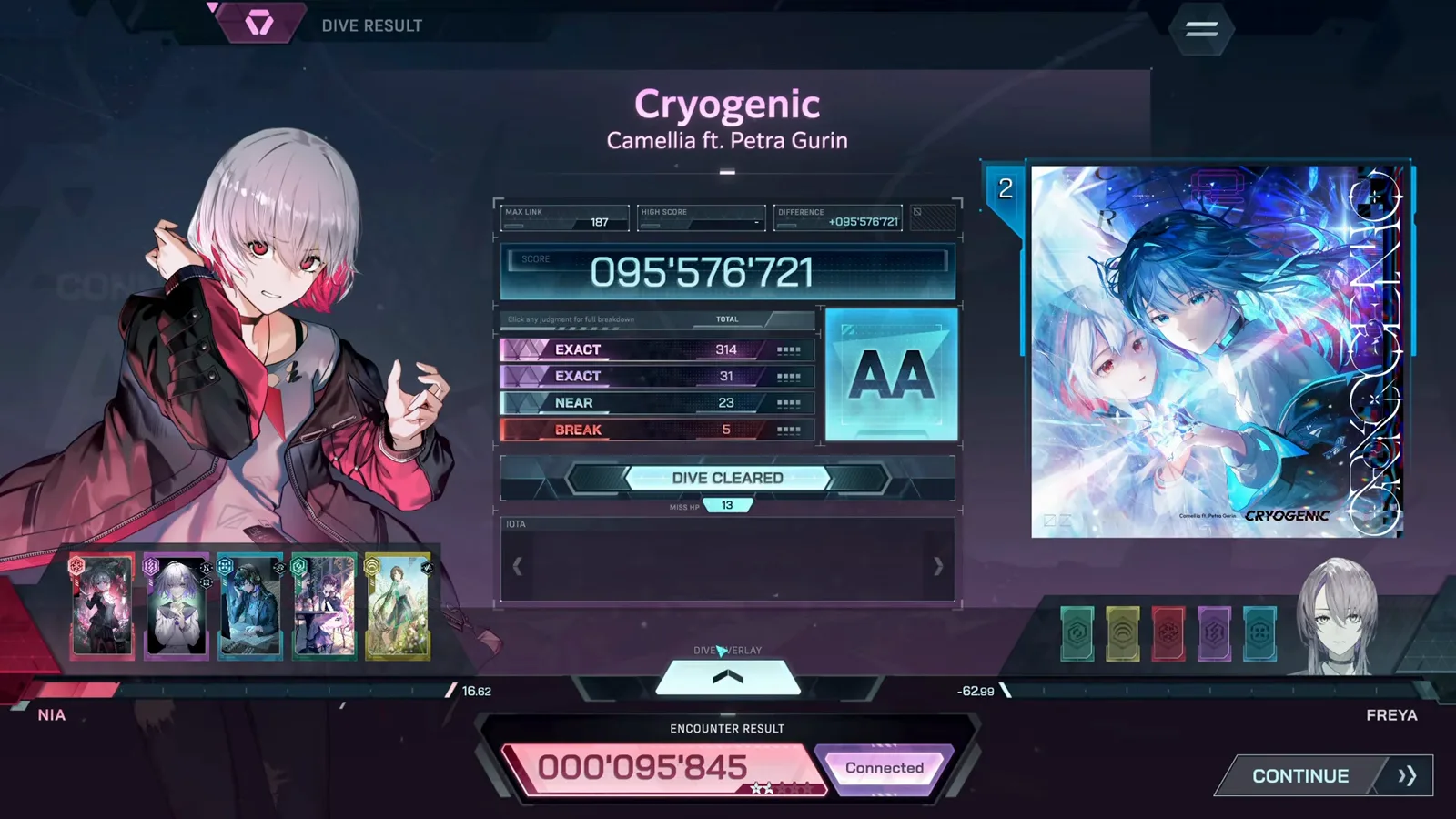
| Grade | What it means |
|---|---|
| AA+ | Near-perfect accuracy |
| AA | Strong clear with few BREAKs |
| A | Solid clear — Iota still drops at Connected + Dive Clear |
| B and below | Clear, but farm efficiency drops |
Tap CONTINUE to return to the hub. After your first qualifying clear, the game opens the card integration tutorial.
Step 9 — Card integration basics
Between rhythm stages, In Falsus is a card builder. The loop:
- Collect Iota — clear Encounters at Connected + Dive Clear or better.
- Fill a Blueprint — place Iota on a hexagonal grid to unlock base stats.
- Pick Traits — special abilities that modify Encounter behavior.

Watch for four penalties — Overload, Out of Bounds, Overlap and Disconnect — since just one penalty cuts stats to 89%, two to 56%, and three or more to zero. The demo exposes only a small starter set; lowiro has not published the full-release Blueprint count.
For the full system breakdown, read In Falsus cards explained. Use the Iota Farming Planner to estimate how many clears each target card costs.
What to do next
- In Falsus demo guide — progression, songs and unlock flow
- Demo Walkthrough wiki — same screens with source video timestamps
- Beginner tips — keybinds, cursor control and scoring habits
- Wishlist on Steam before the September 9, 2026 launch
In Falsus © lowiro. This is an unofficial community guide based on the public demo.